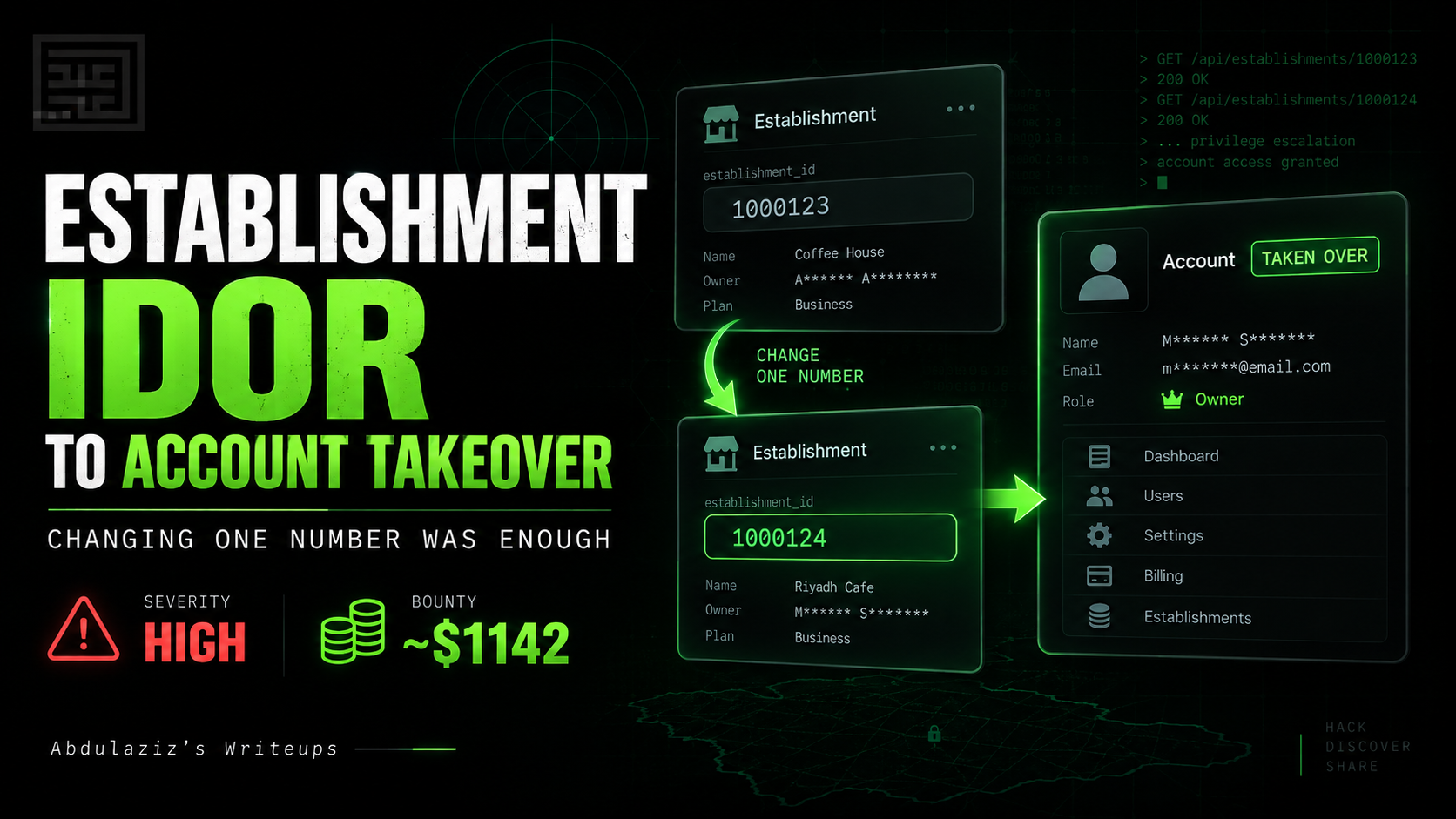

From Profile IDOR to Zero-Click Account Takeover: Changing One userid Parameter Was Enough

Severity: Critical
Bounty: $1,805
Program: Private Bug Bounty
Platform: Bugbounty.sa
This started as a straightforward profile IDOR.
An authenticated user could change a userid parameter and load another registered user’s complete profile inside the account update page.
The response exposed personal information, business details, and address information belonging to the selected account.
That alone was serious enough to report.
But the profile was not read-only.
By keeping the target user’s ID in the update request, I could replace their primary email address with one under my control. I then used the application’s normal password-reset functionality, received the reset email, set a new password, and logged into the target account.
A profile IDOR had become a zero-click account takeover.
Finding the Profile Request
The application allowed registered users to manage their personal and business information through an Update User Profile page.
The normal flow was simple:
Log into an account.
Open My Account.
Select Update Profile.
Edit the account information.
Submit the changes.
While intercepting this workflow, I noticed a POST request similar to:
POST /registration/[redacted] HTTP/1.1
Host: www.[redacted].com
Cookie: [REDACTED]
Content-Type: application/x-www-form-urlencoded
The request body included several navigation parameters, followed by:
userid=researcher_account&action=update
The parameter that stood out was:
userid=researcher_account
The application already had an authenticated session cookie.
It should have known which account belonged to the logged-in user.
There was no reason for the client to decide which user profile the server should load.
That immediately raised the usual IDOR question:
What happens if I replace my own user ID with another valid one?
Switching Between Two Accounts
I created two researcher-controlled accounts.
While authenticated as the first account, the request contained:
userid=first_test_account
I changed it to:
userid=second_test_account
Nothing else in the request needed to change.
The server returned the Update User Profile page for the second account.
The page was rendered directly in the response, with the second account’s information already populated inside the form.
I then changed the parameter back to the first account.
The response switched back to the first account’s details.
The behavior was consistent:
Authenticated as Account A
          ↓
userid=Account A
          ↓
Account A profile returned
Changing only the parameter produced:
Authenticated as Account A
          ↓
userid=Account B
          ↓
Account B profile returned
The server was using the client-supplied username to select the account instead of binding the profile to the authenticated session.
What the Response Exposed
The response did not contain a few harmless public profile fields.
It returned the complete profile management page.
The exposed information included:
first name
last name
primary email address
phone number
company name
company type
industry
sub-industry
street address
city
postal code
country
state or province
account user ID
A simplified version of the rendered form looked like:
<input name="firstName" value="[REDACTED]">
<input name="lastName" value="[REDACTED]">

<input name="email" value="[REDACTED]">
<input name="confirmEmail" value="[REDACTED]">
<input name="phoneNumber" value="[REDACTED]">

<input name="companyName" value="[REDACTED]">
<select name="companyType">[REDACTED]</select>
<select name="industry">[REDACTED]</select>
<select name="subIndustry">[REDACTED]</select>

<input name="address1" value="[REDACTED]">
<input name="address2" value="[REDACTED]">
<input name="city" value="[REDACTED]">
<input name="postalCode" value="[REDACTED]">

<input name="userId" value="[TARGET USER ID]">
The application exposed enough information to build a detailed personal and business profile of any affected user.
Initial Impact: Cross-Account PII Exposure
Any authenticated user who knew another valid user ID could retrieve that user’s profile.
The initial attack flow was:
Valid low-privileged account
          ↓
Supply another user's ID
          ↓
Server loads the selected profile
          ↓
Personal, business, and address data exposed
The exposed data could support:
targeted phishing
business impersonation
social engineering
employee and company mapping
account-recovery attacks
combining personal details with information from other breaches
But the location of the vulnerability was just as important as the information being returned.
This was not a public profile page.
It was an account update workflow.
Why I Continued Testing
A read IDOR inside a state-changing feature should not be treated as an ordinary information disclosure.
The application had already demonstrated that it trusted the userid parameter when deciding which profile to load.
The next question was obvious:
Would it trust the same
useridwhen profile changes were submitted?
Many applications reuse the same object-selection logic for both reading and updating data.
The vulnerable logic may have effectively looked like:
$user = findUser($_POST['userid']);
$profile = loadProfile($user);
The secure version should have derived the account from the authenticated session:
$user = authenticatedUser();
$profile = loadProfile($user);
The required ownership check was simple:
requested user == authenticated user
That check was missing from the profile retrieval flow.
I continued testing the update functionality using only the two accounts under my control.
Changing the Target Account’s Primary Email
After loading the second test account through the manipulated userid, I modified its primary email address.
The request was sent using the first account’s authenticated session while the body continued to reference the second account.
Conceptually, the important parts were:
POST /registration/[redacted] HTTP/1.1
Host: www.[redacted].com
Cookie: [ACCOUNT A SESSION]
Content-Type: application/x-www-form-urlencoded
userid=account_b
&[email protected]
&[email protected]
&action=[redacted]
The critical mismatch was:
Authenticated session: Account A
Target userid: Account B
New primary email: Attacker-controlled address
The server accepted the request.
It did not verify that the account referenced by userid belonged to the authenticated session.
The primary email address for Account B was changed to the email address under my control.
At this point, the issue was no longer limited to reading another user’s information.
I could modify an account-sensitive field belonging to another user.
Using Password Reset to Complete the Takeover
Once the target account’s primary email had been replaced, I used the application’s normal password-reset feature.
The reset functionality itself behaved as designed.
It sent the password-reset message to the primary email address currently registered on the account.
The problem was that I had just changed that address through the IDOR.
The password-reset email was delivered to my attacker-controlled inbox.
I followed the reset link, selected a new password, and successfully logged into the target account.
The complete attack chain was:
Log into Account A
          ↓
Change userid to Account B
          ↓
Load Account B's editable profile
          ↓
Replace Account B's primary email
          ↓
Request a password reset
          ↓
Reset email delivered to attacker
          ↓
Set a new password
          ↓
Log into Account B
This escalated the original profile IDOR into a complete account takeover.
Why It Was Zero-Click
The attack required no interaction from the affected user.
The victim did not need to:
click a malicious link
open an attacker-controlled page
approve the email change
provide an OTP
respond to a message
communicate with the attacker
Every step was performed directly through the vulnerable application.
The attacker only needed:
a valid low-privileged account
the target user’s ID
an email address under their control
The application allowed the target account’s primary email address to be changed without properly confirming that the authenticated user owned that account.
Once the email was replaced, the legitimate password-reset flow completed the takeover.
The Password-Reset Feature Was Not the Vulnerability
It is important to separate the two parts of the chain.
The password-reset feature correctly sent the reset message to the email address registered on the account.
The vulnerability was the unauthorized email change that happened first.
The chain was:
Broken profile authorization
          ↓
Unauthorized primary email replacement
          ↓
Legitimate password-reset process
          ↓
Account takeover
Without the IDOR, the reset functionality would not have been useful to the attacker.
Without the password-reset functionality, the unauthorized email change would still have been a serious account-integrity issue.
Together, they produced a reliable takeover path.
What Actually Failed
The root cause was not simply that profile information was visible.
The deeper problem was that the application treated a client-supplied username as trusted authorization context.
The backend effectively behaved like:
$targetUser = findUser($_POST['userid']);

loadOrUpdateProfile(
    $targetUser,
    $_POST
);
Instead of selecting the account from the authenticated session:
$targetUser = authenticatedUser();

loadOrUpdateProfile(
    $targetUser,
    $_POST
);
Where cross-account administration is required, the application should perform an explicit authorization check:
if (
    $targetUser->id !== authenticatedUser()->id
    && !authenticatedUser()->canManage($targetUser)
) {
    abort(403);
}
The application verified that the requester was logged in.
It did not verify that the requester was authorized to access or modify the account referenced by userid.
That distinction is the core of an IDOR:
Authentication:
"Who are you?"

Authorization:
"Are you allowed to access this specific account?"
The application answered the first question.
It failed to answer the second.
Demonstrated Impact
The vulnerability allowed an authenticated attacker to:
Load another user’s complete profile.
Access their personal information.
Access their business information.
Access their address information.
Modify their primary email address.
Redirect password-recovery messages to an attacker-controlled inbox.
Set a new password.
Log into the affected account.
The final impact was:
Cross-account PII exposure
          +
Unauthorized profile modification
          +
Primary email reassignment
          +
Password-reset redirection
          =
Zero-click account takeover
This justified the Critical severity.
Reporting and Triage
I initially submitted the issue as an IDOR exposing full personal and business profile information.
The report included:
the vulnerable request
the affected
useridparameterreproduction steps using controlled accounts
screenshots showing two different profiles
a video proof of concept
remediation recommendations
During the initial review, the triager reported that the main website was not loading.
The affected application was still accessible through its direct route, so I provided the working path.
While the report was under review, I completed the deeper testing and submitted a second video showing the zero-click account takeover.
The triager confirmed the vulnerability and informed me that it qualified for a bounty.
The report was rated Critical and awarded $1,805.
The Fix
The company introduced OTP verification for profile updates.
After the remediation, sensitive profile changes could no longer be completed using only an authenticated session and a manipulated user reference.
The updated flow became:
Request sensitive profile change
          ↓
OTP verification required
          ↓
Account ownership confirmed
          ↓
Change accepted
I repeated the original attack path and confirmed that the unauthorized email change and takeover chain no longer worked.
The report then moved through:
Approved
   ↓
Confirmed
   ↓
Resolved
Hunter Takeaways
A Read IDOR May Only Be the Beginning
The first visible impact was another user’s profile information.
It would have been easy to stop there.
But the vulnerable request belonged to an update workflow, which made unauthorized modification the natural next thing to test.
The difference was significant:
Cross-account PII exposure
became:
Zero-click account takeover
When an IDOR appears inside a state-changing area, follow the complete workflow.
Usernames Are Object References Too
IDOR testing often focuses on numeric parameters:
user_id=1024
order_id=5512
invoice_id=8911
The object reference in this case was a username:
userid=target_username
An identifier does not need to be numeric or sequential.
It only needs to identify a resource that the server fails to authorize correctly.
Potential object references include:
usernames
email addresses
phone numbers
UUIDs
account numbers
customer references
registration numbers
Do not ignore a parameter simply because it contains a readable string instead of an integer.
Render HTML Responses
The raw response contained the profile data, but rendering the page made the authorization failure much easier to understand.
Changing one parameter visibly switched:
the personal details
the business details
the address details
the displayed account ID
For reports involving server-rendered HTML, a comparison between two controlled accounts can communicate the issue more clearly than several pages of response source.
Test Reads and Writes Separately
A read IDOR does not automatically prove that an attacker can modify the object.
The application may enforce different controls when loading and saving data.
Each operation should be tested independently.
In this case, controlled testing confirmed that the broken account reference extended from profile retrieval into profile modification.
That evidence was what supported the account-takeover claim.
Look for Recovery-Flow Chains
An unauthorized email change is often more dangerous than it first appears.
The next questions should be:
Where are password-reset messages sent?
Does changing the email require the current password?
Is the old email notified?
Is the new email verified before it becomes primary?
Are existing recovery tokens invalidated?
Does the application require step-up authentication?
In this case, changing the primary email immediately redirected the normal password-reset process to the attacker.
Keep Testing After Submission
The original report was already valid.
It exposed sensitive PII belonging to other users.
But continuing to test the surrounding workflow revealed the Critical impact.
Sometimes the strongest escalation is discovered after the initial report has already been submitted.
The important part is to:
stay within the program rules
use researcher-controlled accounts
avoid changing real user data
document each step clearly
submit the additional evidence promptly
The final report told a very different story from the first observation.
Retest the Original Attack Chain
A fix should not be accepted because a new security control appears somewhere in the interface.
The correct retest is to repeat the original attack from beginning to end.
In this case, that meant confirming that an attacker could no longer:
Load another account’s editable profile.
Change its primary email address.
Redirect password-reset messages.
complete the takeover.
After OTP verification was introduced, the previous chain no longer worked.
Only then did I confirm the remediation.
Final Thoughts
The vulnerability began with one client-controlled parameter:
userid=[account name]
Changing it caused the server to load another user’s complete profile.
Following the same account reference through the update workflow allowed the primary email address to be replaced.
The password-reset feature then turned that unauthorized modification into a full account takeover.
The final chain was:
Client-controlled userid
          ↓
Cross-account profile loaded
          ↓
Personal, business, and address data exposed
          ↓
Primary email changed
          ↓
Password reset redirected to attacker
          ↓
New password created
          ↓
Zero-click account takeover
The main lesson is simple:
When an IDOR appears inside an account management workflow, do not stop after proving that you can read another user’s data.
The exposed profile may only be the first part of the vulnerability.